Amazon Vine Login: Simple Guide for Reviewers and Sellers
Amazon Vine login differs for reviewers and sellers, so use the correct Amazon account and access route.

Amazon Vine is a product review program operated by Amazon. It allows selected reviewers, known as Vine Voices, to receive eligible products and share honest reviews. Sellers can also use Amazon Vine to place eligible products in front of these trusted reviewers.
The most important thing to understand is that Amazon Vine does not work like a normal public membership website. Reviewers cannot simply create a Vine account whenever they want. Amazon invites selected customers to join the program.
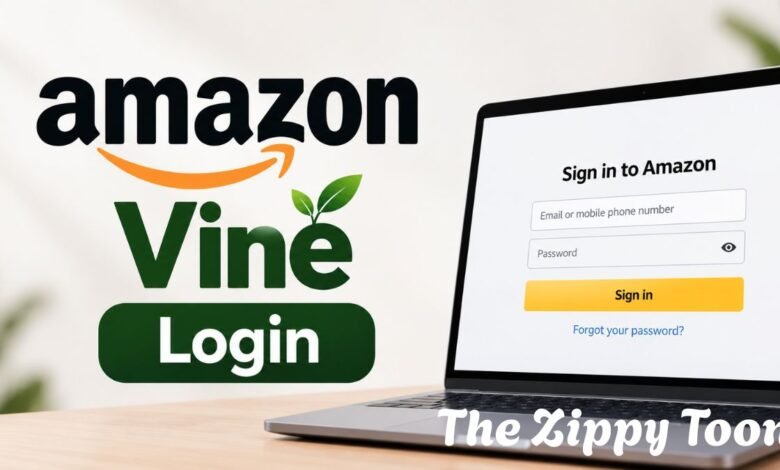
Amazon Vine Login works through an existing Amazon account. Invited reviewers use the Amazon account connected to their Vine invitation, while sellers access Vine through Amazon Seller Central.
How Amazon Vine Login Works for Reviewers
Amazon calls its invited reviewers Vine Voices.
If Amazon selects you for the program, you can access Vine using the Amazon account connected to your invitation. You typically don’t need to create a separate Vine username or password.
The basic process is simple:
- Visit the official Amazon website.
- Sign in with the Amazon account connected to Vine.
- Open the Amazon Vine section.
- Complete security verification if Amazon requests it.
- View available products and manage your Vine reviews.
A normal Amazon account does not automatically give access to Amazon Vine.
Amazon selects reviewers based on factors such as the quality and usefulness of their previous Amazon reviews.
Can Anyone Become an Amazon Vine Reviewer?
No. Amazon Vine reviewer membership is invitation-only.
There is no normal public form where a customer can simply register and instantly become a Vine Voice.
If a website promises guaranteed Amazon Vine membership in exchange for money, treat it with caution. Genuine reviewer access comes through Amazon.
Vine Voices may receive products without paying the normal purchase price, but they are expected to provide independent and honest feedback.
Amazon Vine Login for Sellers
Sellers use a completely different route.
A seller should first sign in to Amazon Seller Central. After that, eligible sellers can normally find Vine under:
Advertising → Vine
From the Vine dashboard, a seller can search for an eligible ASIN and enroll products in the program.
The usual seller process is:
- Log in to Amazon Seller Central.
- Open the Advertising section.
- Select Vine.
- Find an eligible product.
- Choose how many units to enroll.
- Confirm the Vine enrollment.
Amazon currently allows up to 30 units of an eligible product to be enrolled in Vine.
Which Products Can Join Amazon Vine?
Not every Amazon product is automatically eligible.
A product generally needs an eligible Fulfillment by Amazon (FBA) offer. Amazon also requires products to meet certain Vine conditions.
A product typically needs:
- An active FBA listing
- Fewer than 30 reviews
- A product image
- A proper product description
- Appropriate brand or catalog eligibility
Some product categories may not qualify for Vine.
This means a seller may be able to log in to Seller Central successfully but still can’t enroll a particular product.
Why Amazon Vine Login May Not Work
Several reasons can prevent a user from accessing Vine.
Wrong Amazon Account
If you use several Amazon accounts, you may be logged into the wrong one.
Vine reviewer access is connected to the account that Amazon invited.
No Vine Invitation
Having a normal Amazon account does not mean you have Vine access.
If Amazon has not invited the account, the customer cannot simply activate reviewer membership.
Seller Is Not Eligible
A seller may have access to Seller Central but may not meet Vine requirements.
The product itself may also be ineligible.
Product Has Too Many Reviews
Amazon Vine generally requires a product to have fewer than 30 reviews before enrollment.
If the product already has too many reviews, Vine enrollment may not be available.
Stay Safe When Searching for Amazon Vine Login
Be careful when searching for Amazon Vine Login because unofficial websites may imitate Amazon-related services.
Always check that you are using an official Amazon website.
Be cautious if a website asks you to:
- Pay for Vine reviewer approval
- Send cryptocurrency
- Deposit money before receiving products
- Share your Amazon password outside Amazon
- Pay for guaranteed Vine membership
Amazon controls Vine reviewer access.
FAQs.
Is Amazon Vine Login free?
Reviewer access does not require purchasing a separate Vine membership. Sellers may have to pay Vine enrollment fees depending on how many product units they enroll.
Can I register for Amazon Vine myself?
Amazon Vine reviewer membership is invitation-only. Customers cannot normally complete an open registration form to guarantee Vine Voice membership.
Where do sellers log in to Amazon Vine?
Sellers should log in to Amazon Seller Central and go to Advertising → Vine.
Why can’t I access Amazon Vine?
The most common reasons are using the wrong Amazon account, not having a Vine invitation, seller eligibility issues, or an ineligible product.
Do Vine reviewers have to write positive reviews?
No. Vine reviews are intended to be independent. Reviewers can give positive or negative feedback depending on their experience with the product.
What You Should Remember
Amazon Vine Login is simple once you understand the difference between reviewer and seller access.
Reviewers need an Amazon invitation and use their normal Amazon account. Sellers use Amazon Seller Central and enroll eligible products through the Vine dashboard.
The safest approach is to use official Amazon websites, avoid sites that sell guaranteed Vine membership, and confirm you are signed into the correct Amazon account.